Write requests in
.http.
Run
them everywhere.
A premium, code-first HTTP client platform. Define outgoing requests and stateful mock APIs side-by-side. Run from a stunning desktop GUI, high-concurrency CLI, or stdio-based AI MCP server.
# === Environments & Globals ===
@env.dev.baseUrl = http://localhost:8080
@env.prod.baseUrl = https://api.example.com
@contentType = application/json

### 1. Authenticate Outgoing Client Request
@name login
POST {{baseUrl}}/auth/login
Content-Type: {{contentType}}
{
  "username": "admin",
  "password": "{{secret:adminPassword}}"
}
> {
  // JavaScript assertion & variable propagation
  assert(response.status === 200, "Auth failed");
  setVar('token', response.json.token);
}

### 2. Stateful Local Mock Server (SQLite-backed)
@mockinit
< {
  // Setup schema exactly once upon mock server startup
  db.exec("CREATE TABLE IF NOT EXISTS users (id INTEGER PRIMARY KEY, name TEXT)");
}

@mock
POST /users
Content-Type: {{contentType}}
< {
  const body = JSON.parse(request.body);
  const res = db.exec("INSERT INTO users (name) VALUES (?)", body.name);

  response.status = 201;
  response.body = { id: res.lastInsertId, name: body.name, stored: true };
}

### 3. High-Concurrency Stress Test Benchmark
@name stressBenchmark
@depends login
@load duration=30s users=50 rampUp=5s rps=200

GET {{baseUrl}}/profile
Authorization: Bearer {{token}}Seamless Multi-Mode Architecture
RawRequest is compiled as a single Go binary that operates elegantly across three distinct modes depending on where you are working.
1. Desktop GUI Mode
A beautiful visual editor built with Angular and Wails. Experience code-first speed with a premium sidebar outline, fuzzy command palette, silent disk-watchers, keyring credentials, and scroll restoration.
2. Terminal CLI Mode
Run requests directly from your shell or
pipelines with rawrequest run. Pipe
responses using `-o body` directly to
jq, or execute heavy performance
tests with rawrequest load.
3. AI MCP Mode
Provide direct stdio Model Context Protocol access to your AI assistants (Claude Desktop, Claude Code, GitHub Copilot). Let AI discover, read, and invoke your `.http` endpoints to resolve real-world tasks.
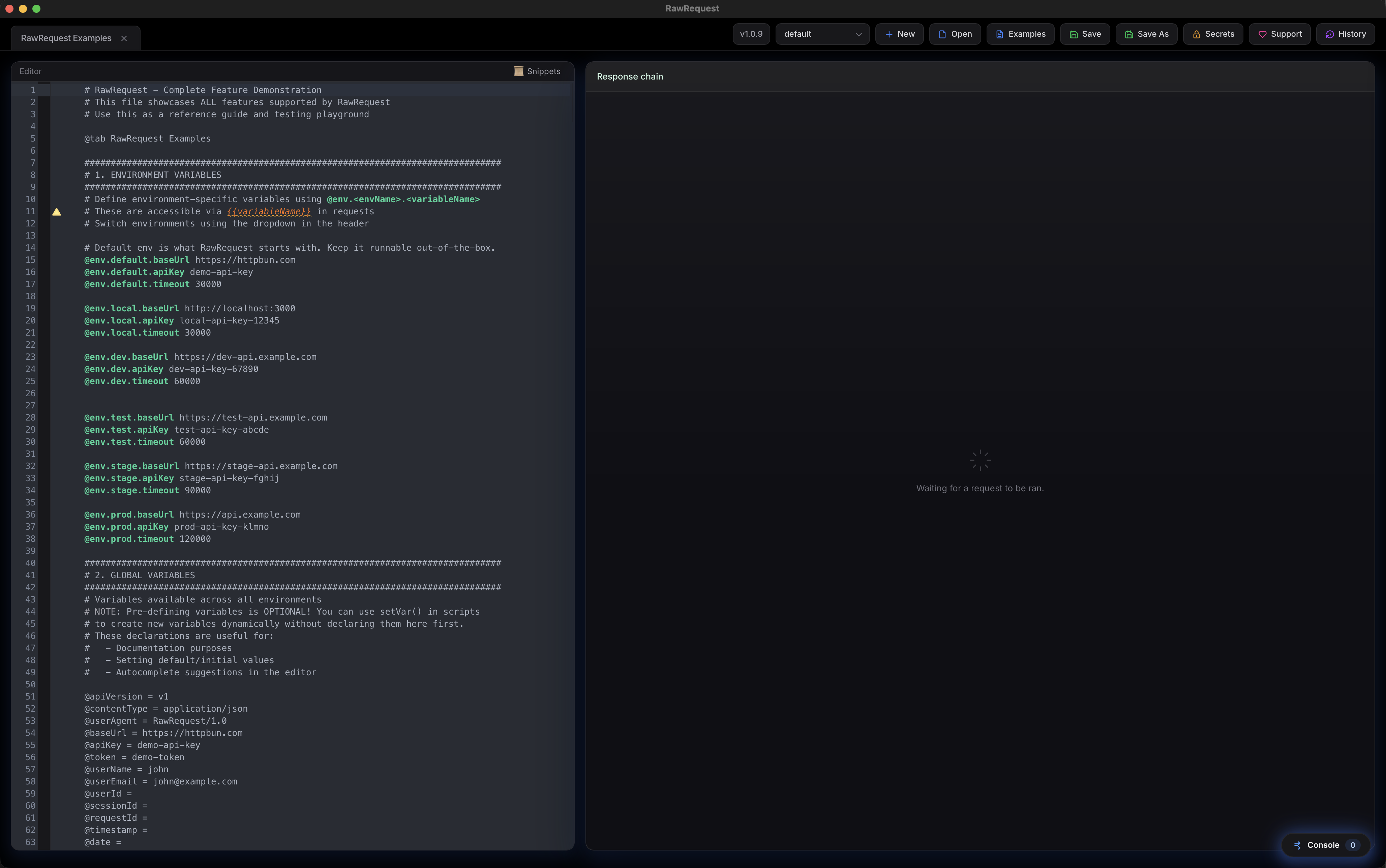
Premium Workspace
Every interface has been refined to look stunning, respond instantly, and provide pixel-perfect layouts.
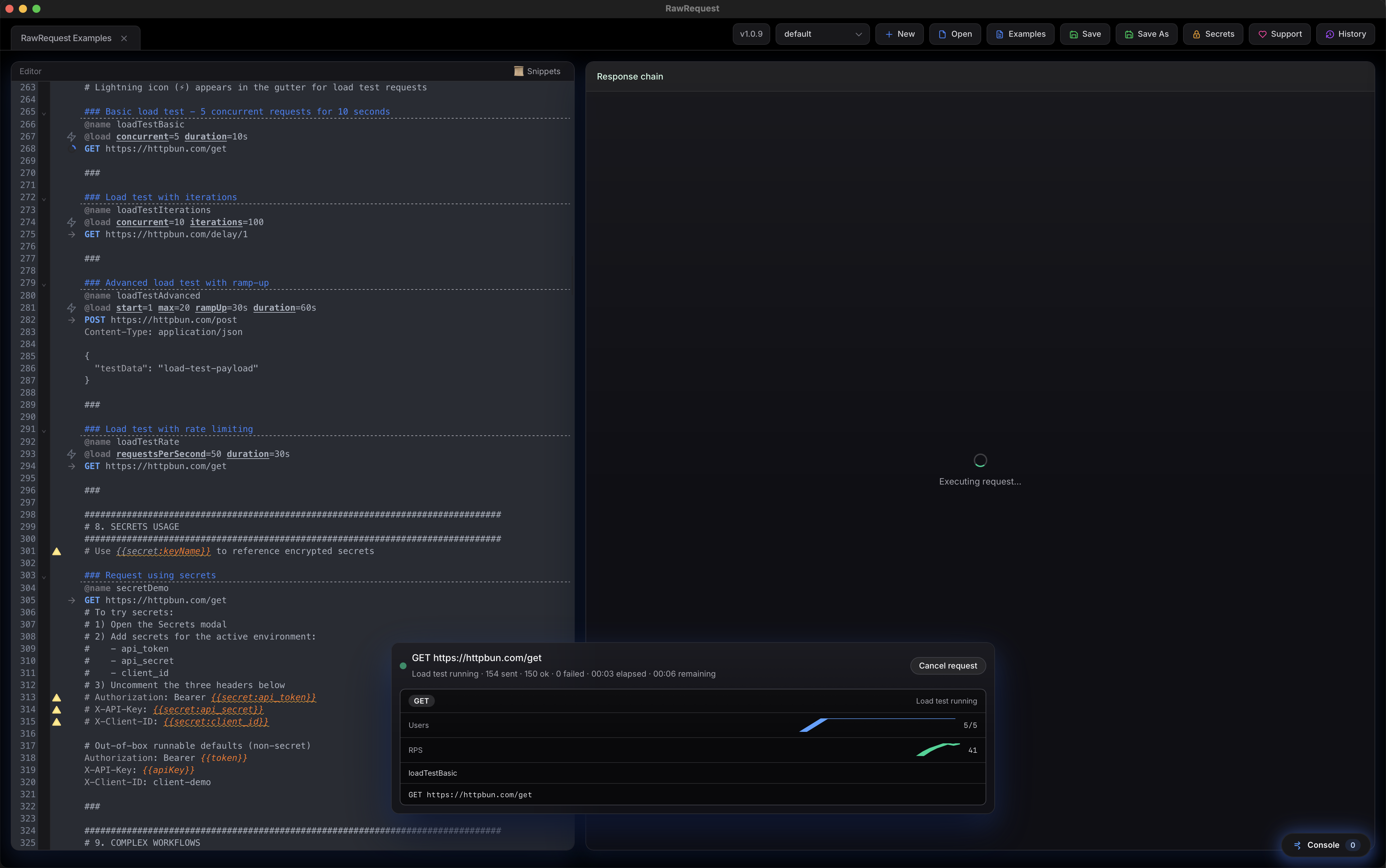
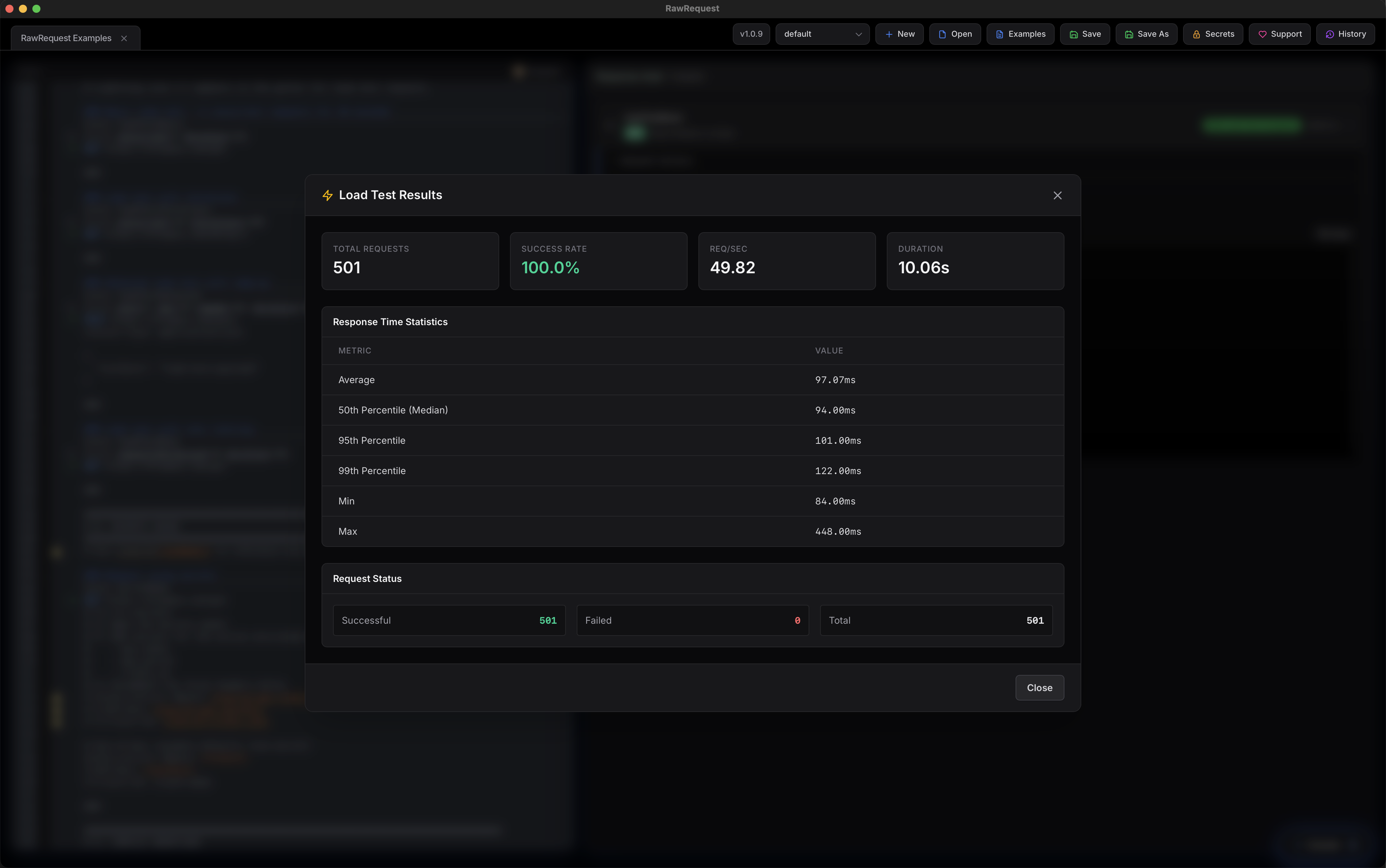
Native Concurrency Load Testing
Ensure your APIs can handle real-world scale before
shipping. The @load directive lets you
run high-concurrency load tests directly from any
request definition.
Specify custom RPS caps, concurrent virtual users, duration intervals, and ramp-up curves. Monitor performance live in the GUI or trigger head-less runs directly in terminal configurations.
rawrequest load api.http -n profile --users
                                    100 --duration 30s
Trigger instant CLI load tests with
overridden user parameters.
--fail-rate 0.02 --rps 500
Configure failure abort rate thresholds and
maximum RPS targets.
Authoring Workflow
How developers write and manage requests without leaving their IDE boundaries.
Draft HTTP Documents
Write standard REST/gRPC actions alongside stateful local `@mock` routes and pre/post JS scripts inside a readable `.http` file.
Bind Environments
Configure different host profiles and inject secure credentials using encrypted system OS keychain variables.
Execute & Automate
Hit triggers via Wails GUI, schedule stress benchmarks in terminal, or let an AI agent invoke stdio MCP commands.
Installation Guides
Choose the installation path that suits your environment and command workflow.
macOS (Homebrew)
Tap and install the GUI desktop cask instantly:
brew tap portablesheep/rawrequest https://github.com/portablesheep/homebrew-rawrequest
brew install --cask rawrequest
macOS / Linux (curl)
Install the global binary and setup path integrations:
curl -fsSL https://raw.githubusercontent.com/portablesheep/RawRequest/main/scripts/install.sh | bashWindows (PowerShell)
Run the secure installation command in PowerShell:
irm https://raw.githubusercontent.com/portablesheep/RawRequest/main/scripts/install.ps1 | iexCLI Mode Examples
Run request suites and pipe the body results dynamically:
# Run specific named request
rawrequest run api.http -n login -e dev

# Extract and pipe body response to jq
rawrequest run api.http -n getUser -o body | jq .
Ready to revolutionize your API client?
Experience code-first speed across GUI, CLI, and AI environments. 100% local, lightweight, and Git-friendly.